Prefer to use a service?
Find someone near you to transfer your old tapes.
Type your town, postcode, or ZIP. We map the verified VHS and video transfer services closest to you, and show how each one works.
Verified VHS & video transfer providers across the UK and US, every listing checked by Memrial.
After digitization
Then give the videos a private place to live. Memrial turns old tapes and photos into a private family archive with timelines, watch-alongs, family stories, and sharing.There is a wonderfully optimistic moment in every VHS project: you buy a little capture cable, find the old VCR and assume Saturday afternoon will be enough. Then the first tape runs for three hours and the picture rolls every time someone walks past the television.
DIY conversion is not a bad idea. It is simply a real-time job, and the condition of the tapes matters more than the advert on the capture device.
The quick decision
Convert at home when you have a working VCR, a handful of clean tapes and the patience to monitor every recording. Use a service when the tapes are damaged, unusually valuable, recorded in a format you cannot play, or numerous enough to swallow several weekends.
Never put a mouldy tape into the family VCR. Seal it away from the others and ask a specialist who explicitly handles contaminated media.
What a DIY setup actually needs
The chain is simple: VCR → capture device → computer → recording software. The weak link is often the VCR, not the computer. Test playback on an unimportant tape first, clean only according to the manufacturer’s instructions and do not keep replaying a cassette that squeals, sticks or sheds material.
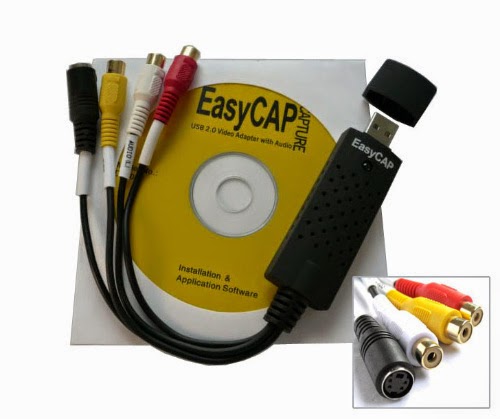
Use a reputable USB capture device with the correct composite or S-Video inputs. Record with software you understand; OBS has a current official quick-start guide. Capture a five-minute test, then check speech sync, movement, colour and the beginning and end before committing to a whole tape.
VHS is standard-definition. A box promising “4K VHS” cannot create detail the tape never held. A careful deinterlace and sensible viewing copy matter more than an enormous output resolution.
Questions to ask a transfer service
Do not choose only from the price printed beside “per tape”. Send the same short list to two or three providers:
- Do you inspect for mould or damage before playback?
- Is the work completed on your premises or sent elsewhere?
- What file format, codec and resolution will I receive?
- Is basic deinterlacing included?
- Will each cassette be one file, and can you split obvious events?
- Are blank tape, extra running time, repairs or USB delivery charged separately?
- How are customer files stored, and when are working copies deleted?
- Will every original cassette be returned?
Ask for a small sample if the footage is irreplaceable. A trustworthy service should explain its process without hiding behind “HD enhancement”.
Compare the real cost
DIY pricing includes a dependable VCR, capture device, cables, storage and your time. A two-hour tape takes roughly two hours to capture because it must play through. Services may charge by cassette, running time, repair, format or delivery, so an itemised quote is more useful than a headline price.
Use the service finder above as a shortlist, not a guarantee. Check recent independent reviews, confirm the address and speak to the provider before posting the only copy of anything important. Memrial does not take a commission from the providers shown in the checker.
The transfer is only the rescue
When the files arrive, open every one before paying or throwing away packaging. Keep the untouched delivery in two separate places. Then rename the useful moments and ask the people in the video what the camera could not explain.
Our guide to storing and sharing digitised VHS files takes over there. If the best part of the tape is everyone talking over it, you can also watch an old home video together online and keep those recollections with the film.
How this guide was made
About this guide
Memrial publishes this guide and is included where it genuinely fits. Product comparisons use the linked providers’ official documentation and state when another option is better. We do not claim hands-on testing we have not done.
Read our research, disclosure and corrections policy →Questions about this article
Quick answers.
Is it cheaper to convert VHS tapes yourself?
It can be for a small number of playable tapes if you already own a working VCR and have time to capture each tape in real time. Include the cost of a reliable capture device and storage.
What file format should a VHS transfer service provide?
Ask for a widely playable MP4 viewing file and whether a higher-quality preservation file is available. Confirm the codec, resolution, delivery method and whether one tape becomes one file.
Should I play a mouldy VHS tape?
No. Mould can damage the tape, contaminate the VCR and make the recording worse. Isolate it and ask a specialist who handles contaminated or damaged media.